Know what's coming in—and what's still due
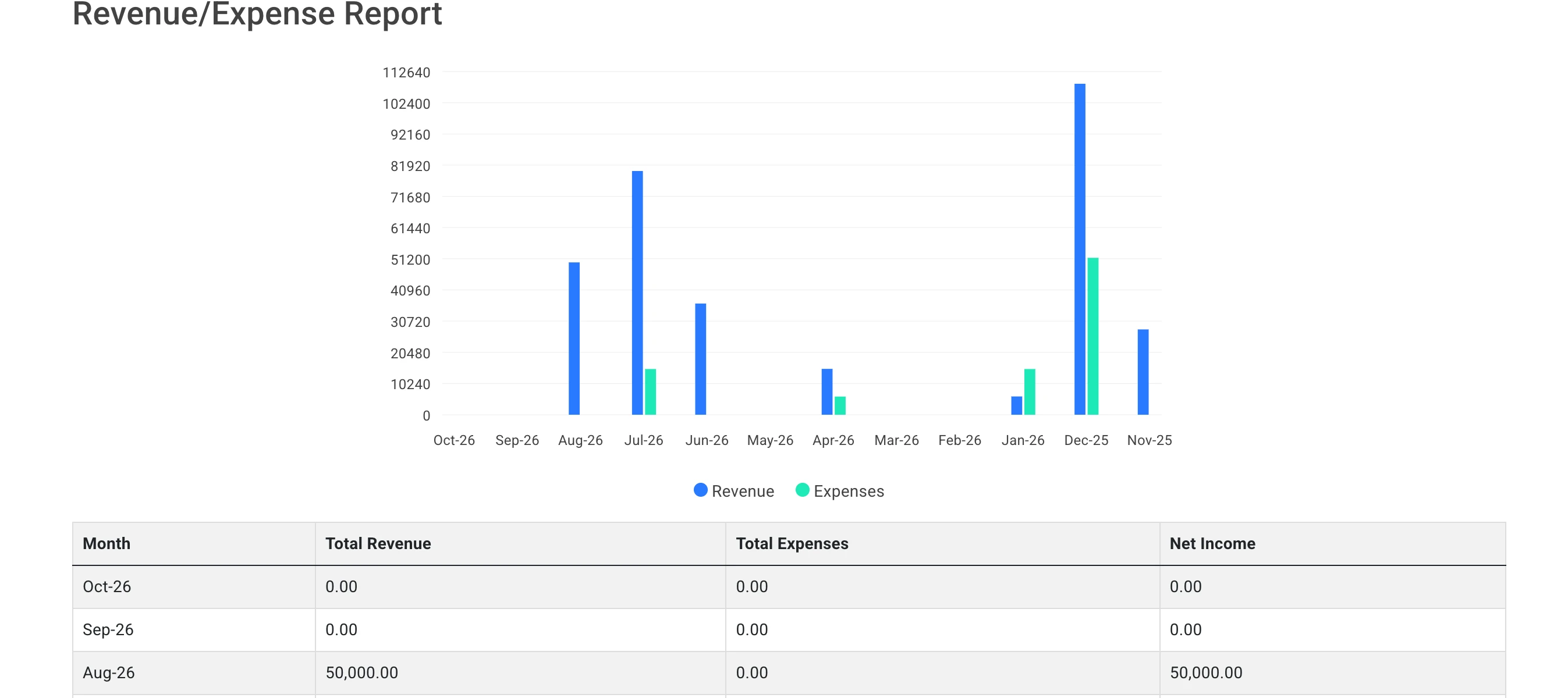
Keep clinic finances alongside appointments and patient records. Review monthly revenue, expenses and net income, and check which patients have a remaining balance.
See the month more clearly
The revenue and expense report puts income, costs and net income side by side. Check the figures without building a separate summary from scratch.
Keep outstanding balances visible
Use the patient balance report to identify patients with amounts remaining. Give your team a clearer starting point when reviewing dues.
Reports for the work behind the numbers
KFA includes accounting-ledger and doctor-earnings reporting options. Ask us to demonstrate the reports that match how your clinic manages its finances.
Walk through billing in a demo
Tell us how your clinic handles charges and payments. We'll show you the relevant screens so you can check whether they fit your needs.